Archive of our own
Archive of our own
Archive of our own
Problem
Problem
A website with cluttered UI hinders users's search-engine experience.
A website with cluttered UI hinders users's search-engine experience.
Solution
Solution
Solution
Redesign the website to allow for better accessibility and simplify search.
Redesign the website to allow for better accessibility and simplify search.
A redesign of Archive of Our Own's (AO3) old search engine system
A redesign of Archive of Our Own's (AO3) old search engine system
PROJECT DURATION
December 2024 - February 2025
SKILLS
UX Writing
Advanced Figma prototyping
UX Research & User Testing
CATAGORY
Redesign
Evaluating the current search engine, users had these comments:
Evaluating the current search engine, users had these comments:
USER QUOTES
"The site just doesn’t connect the content with the search results."
"Too many overwhelming elements…Almost everything is clickable."
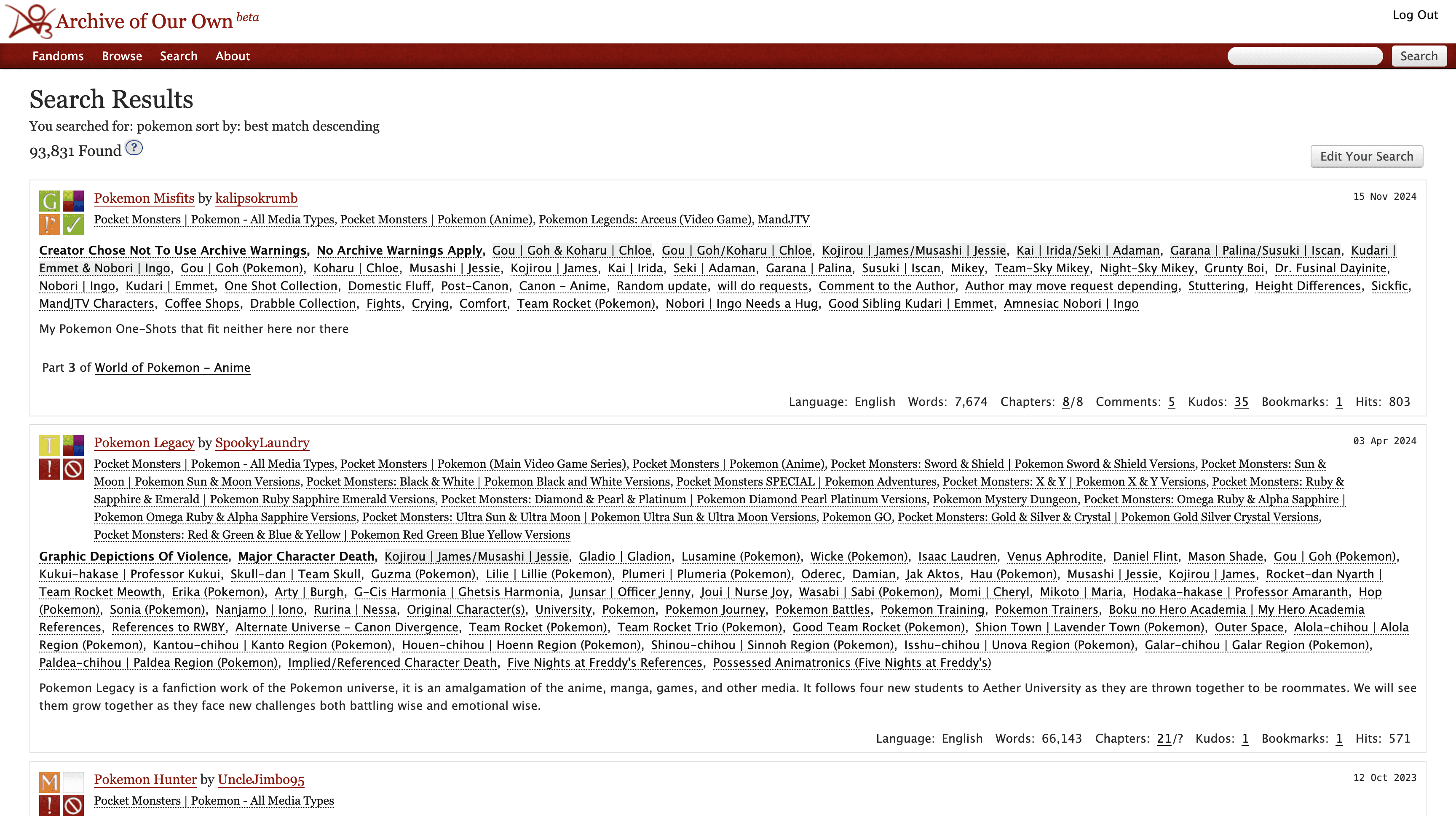
Search Results page for the old Archive of Our Own
50%
Cluttered UI
Complaints of cluttered UI without guiding imagery overwhelmed many users who tried to search.
67%
Failed to find filters
Users were asked to find filters to exclude certain hashtags but failed, with many giving up.
67%
Poor UX writing
Users struggled finding definitions of features on site and or what they did.
Through interviews, users agreed on what they wanted
Through interviews, users agreed on what they wanted
Simplifying the search experience
Simplifying the search experience
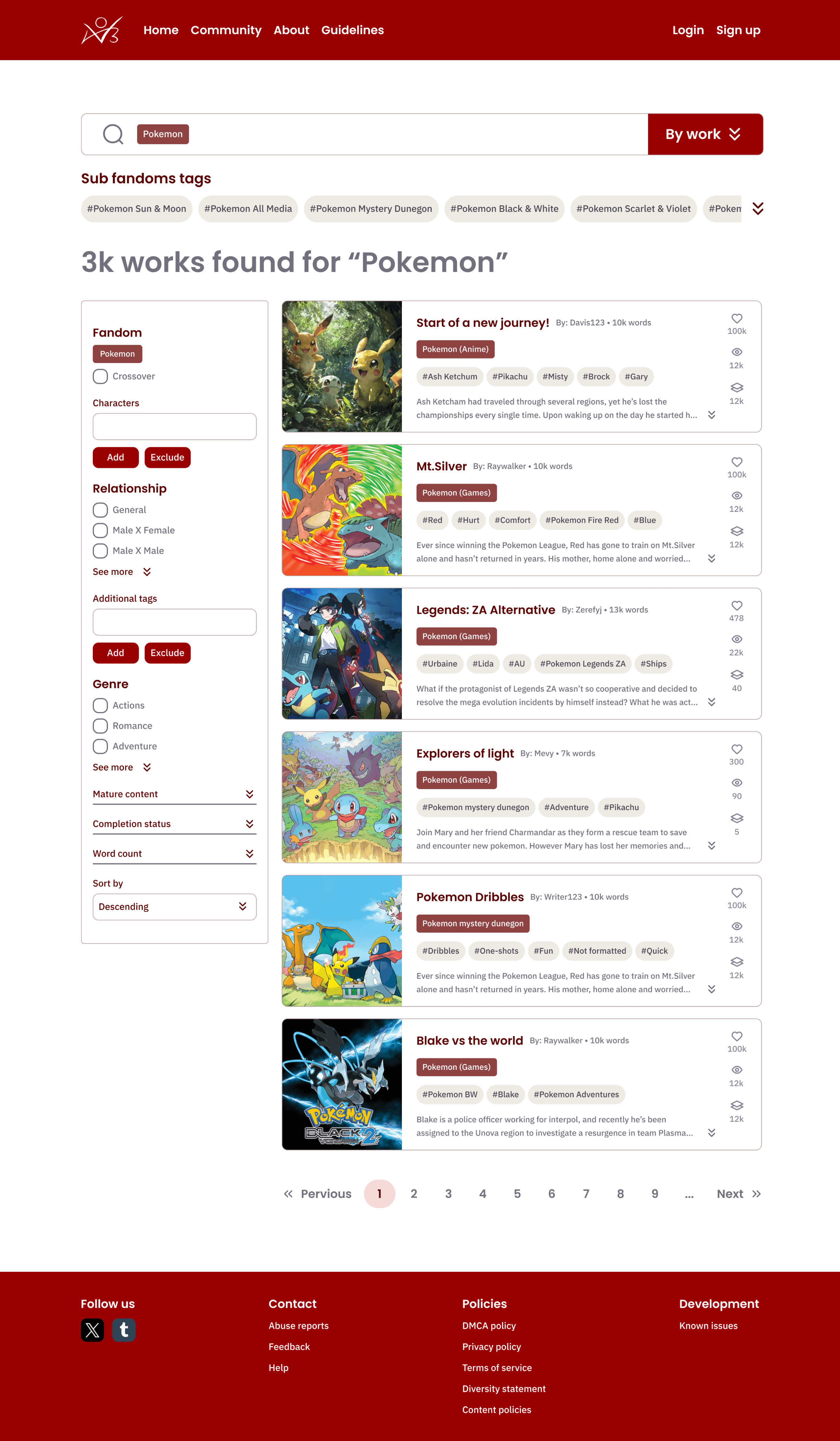
Archive's new UI and font for better readability
Archive's new UI and font for better readability
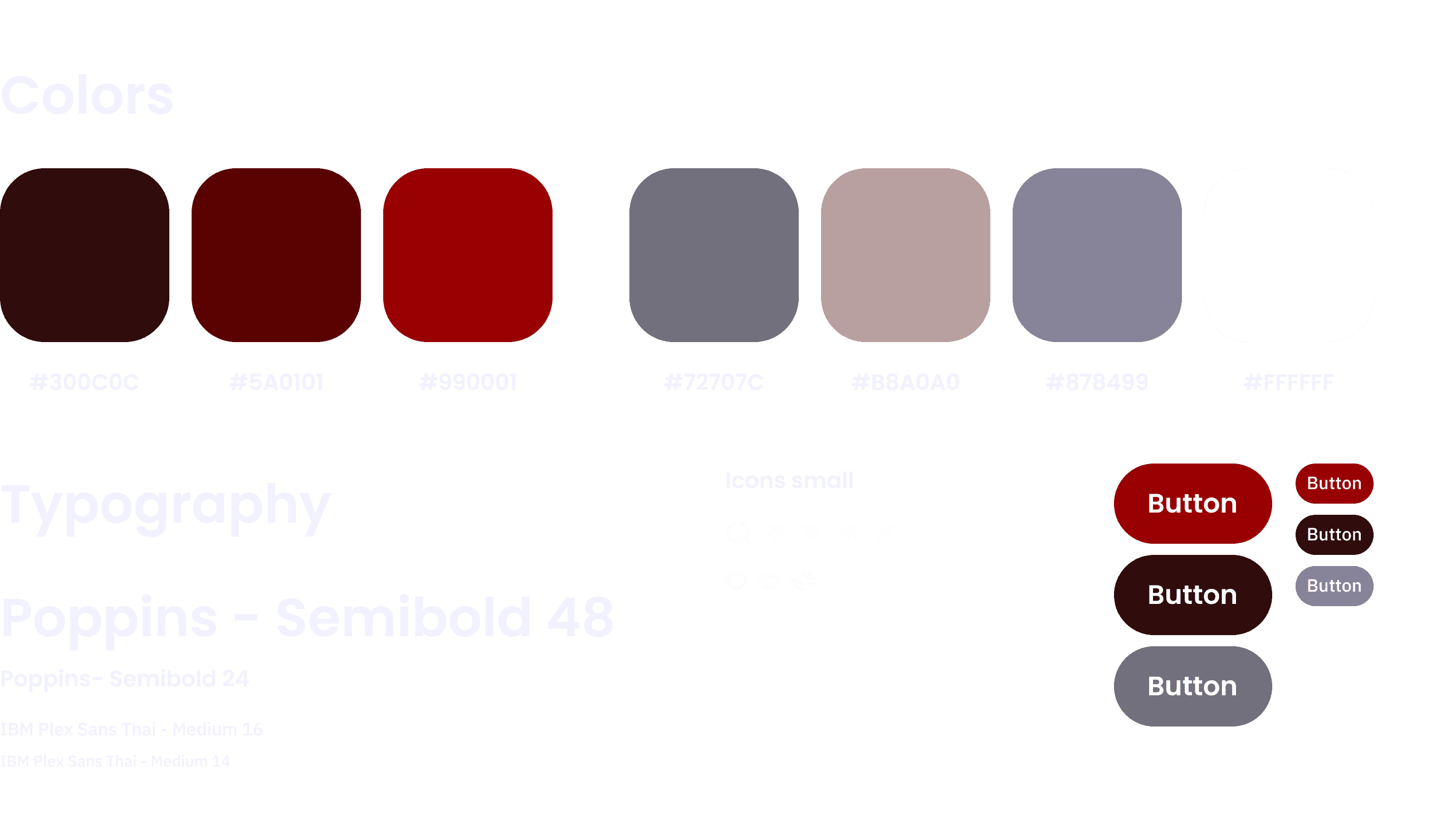
UI KIT & BRAND DESIGN
Two sans serif fonts were chosen to help differentiate between body and title text, as well as reduce large walls of text through spacing and variety.
Merging two different search pages to simplify the experience
Merging two different search pages to simplify the experience
OLD SITE
Originally, Archive had an Advanced Search page for complex requests, that was hidden from view.
REDESIGNED SEARCH PAGE
The new Search Results page will house the Advanced Search feature, so users don't have to find a hidden page.
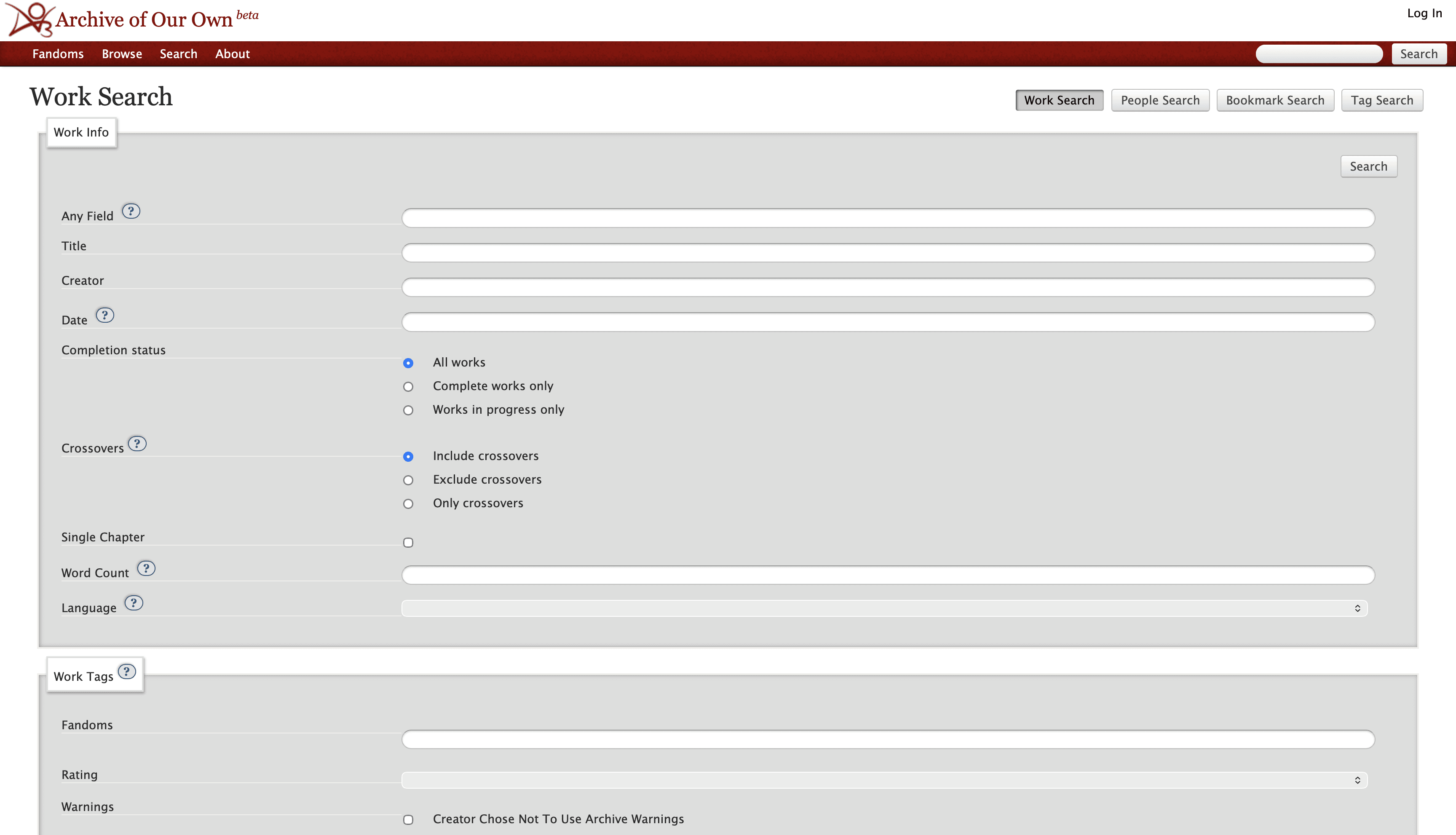
Old Advanced Search page that was hidden from user's view
Old Advanced Search page that was hidden from user's view
Redesign moves the features from the old Advanced Search onto the Search Results page
Redesign moves the features from the old Advanced Search onto the Search Results page
Reducing visual clutter and adding clearer UX writing
Reducing visual clutter and adding clearer UX writing
OLD SITE
Visually cluttered, accompanied by unclear directions and writing that left users baffled.
REDESIGNED UI
Reduced user overwhelm by 100% by bringing in more white space and better font readability.
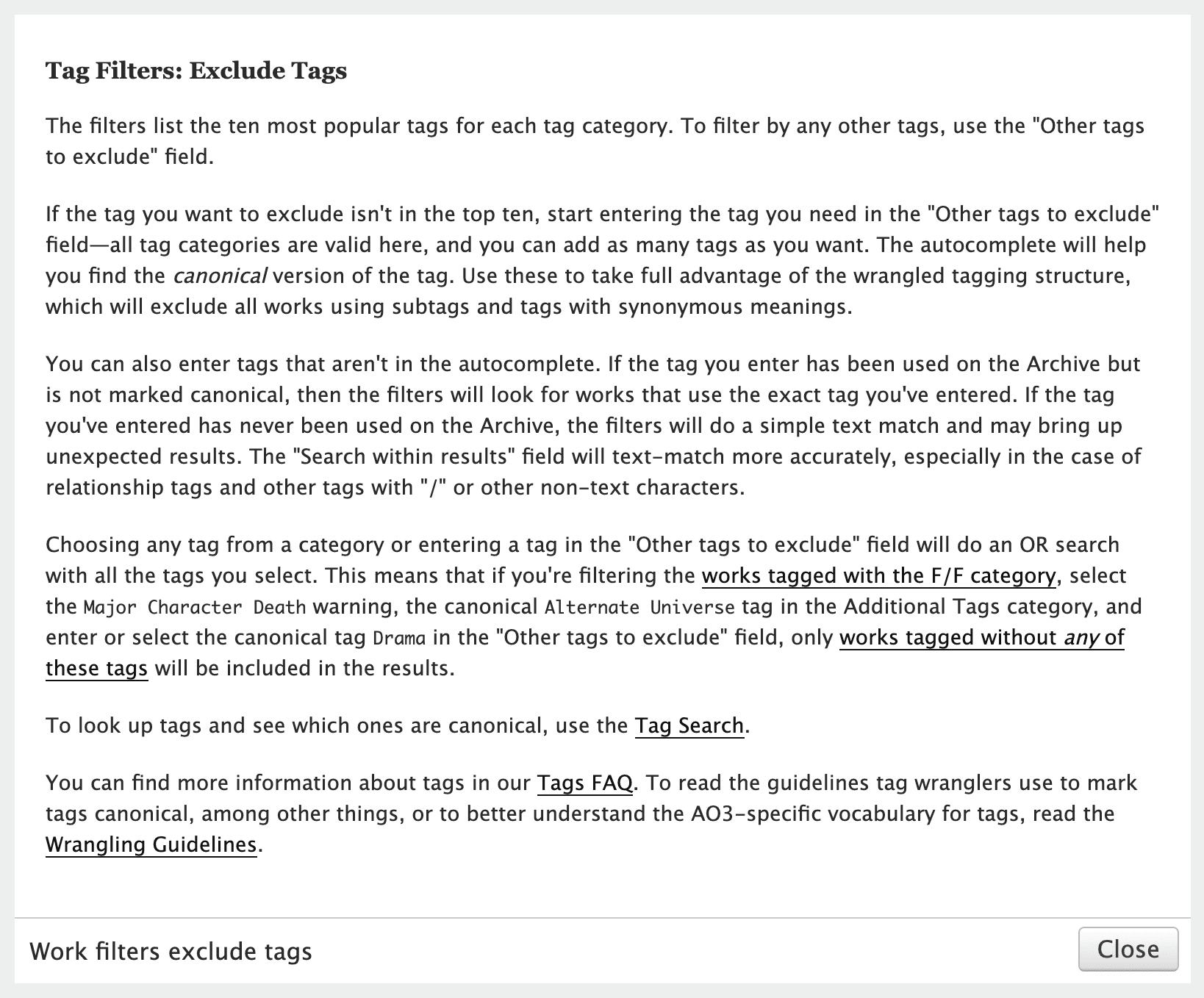
Old site exclusion filter description with a wall of text
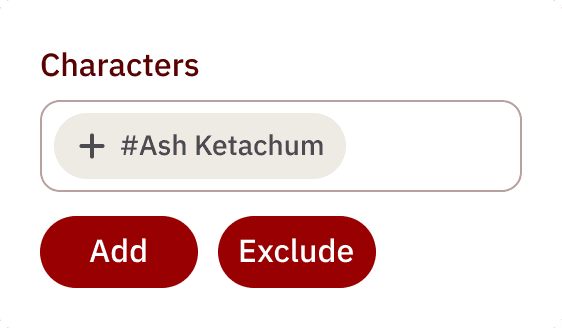
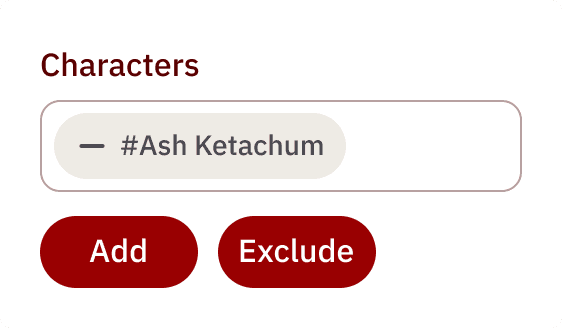
No extensive reading required, just quick intuitive clicks to add or exclude unwanted tags
No extensive reading required, just quick intuitive clicks to add or exclude unwanted tags
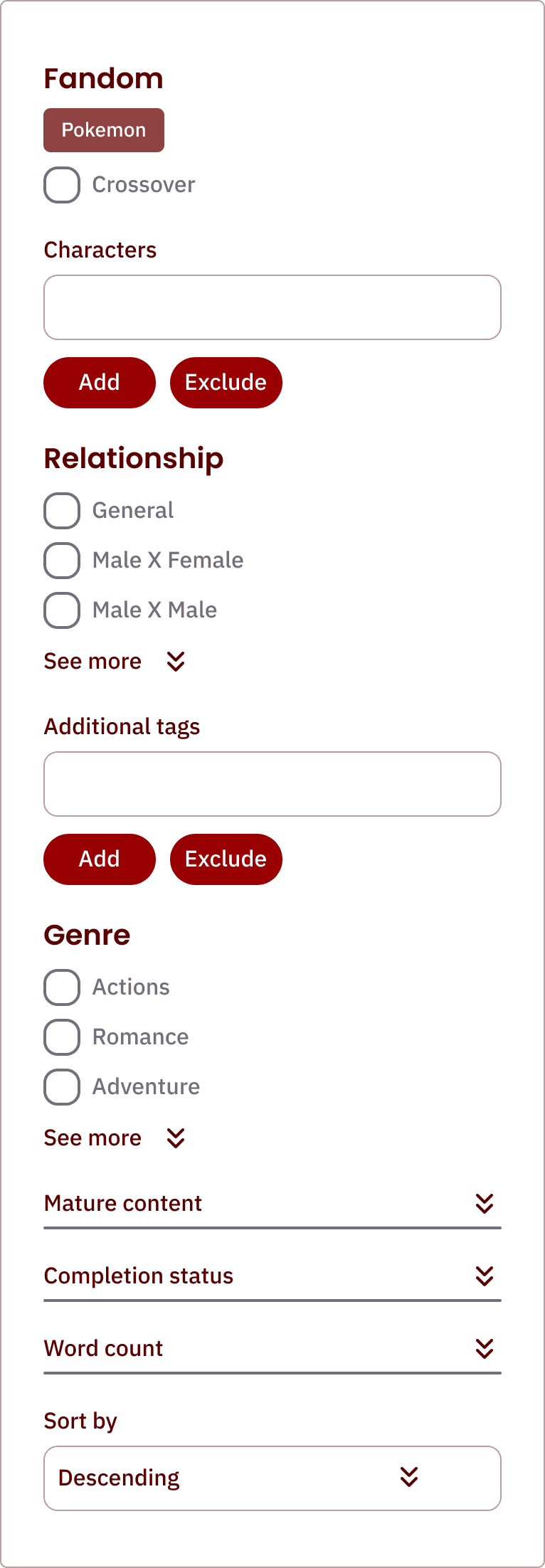
New site filters allow for quick and easy tag searches
New site filters allow for quick and easy tag searches
OLD SITE
Old system did not have filters and searches on one page.
NEW SYSTEM
New system allows users to filter tags directly from the Advanced Search panel, reducing overwhlem.
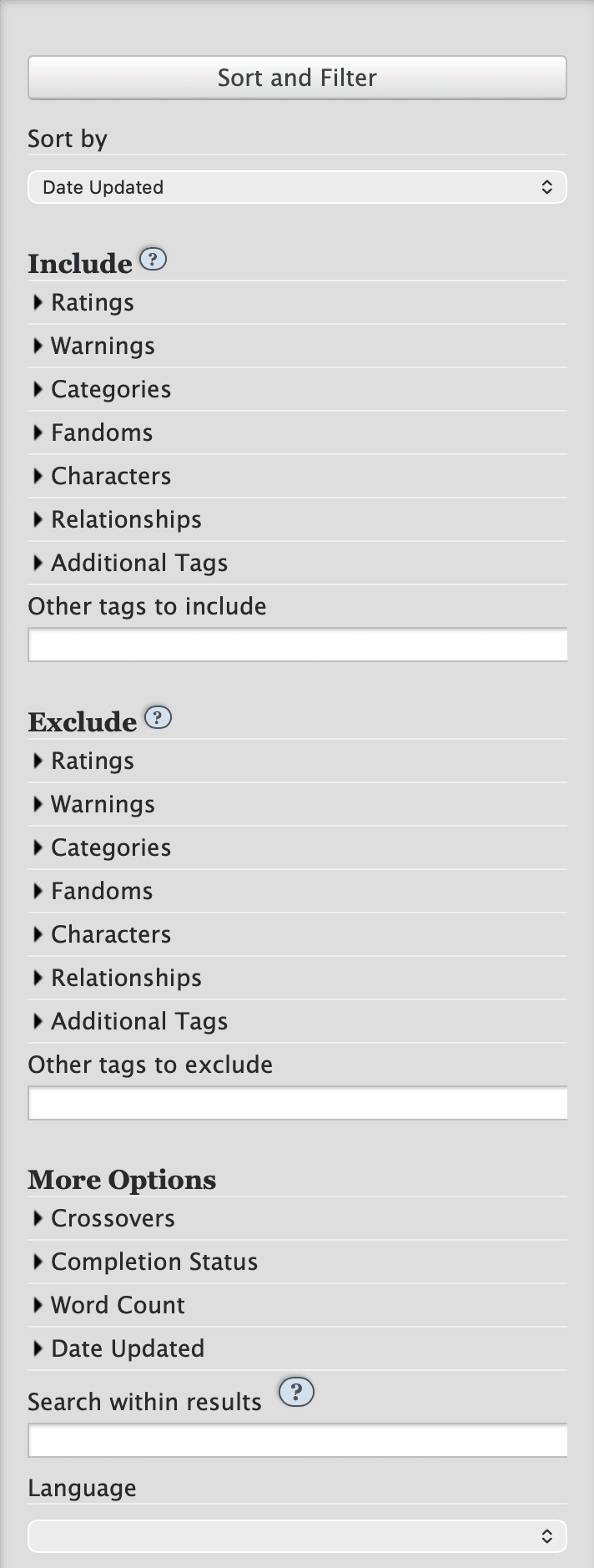
Old (left) vs Redesign (left) of filter panels
Final user test results show an 100% improvement in Search experince
Final user test results show an 100% improvement in Search experince
USER TASKS
Users were once again assigned the task of filtering for tags, and all were able to complete this exercise in under 20 seconds.
100%
Liked the simplified UI
Overall user ratings increased after testing the redesign prototype. Users preferred the decluttered site.
100%
Task compleition
Users who gave locating and using the website's search filters were now easily able to access them.
100%
Liked the UX Writing
Users were able to click, read, and navigate to features because they used simplier labels.
See the redesign prototype
See the redesign prototype
Explore the prototype here
Explore the prototype here
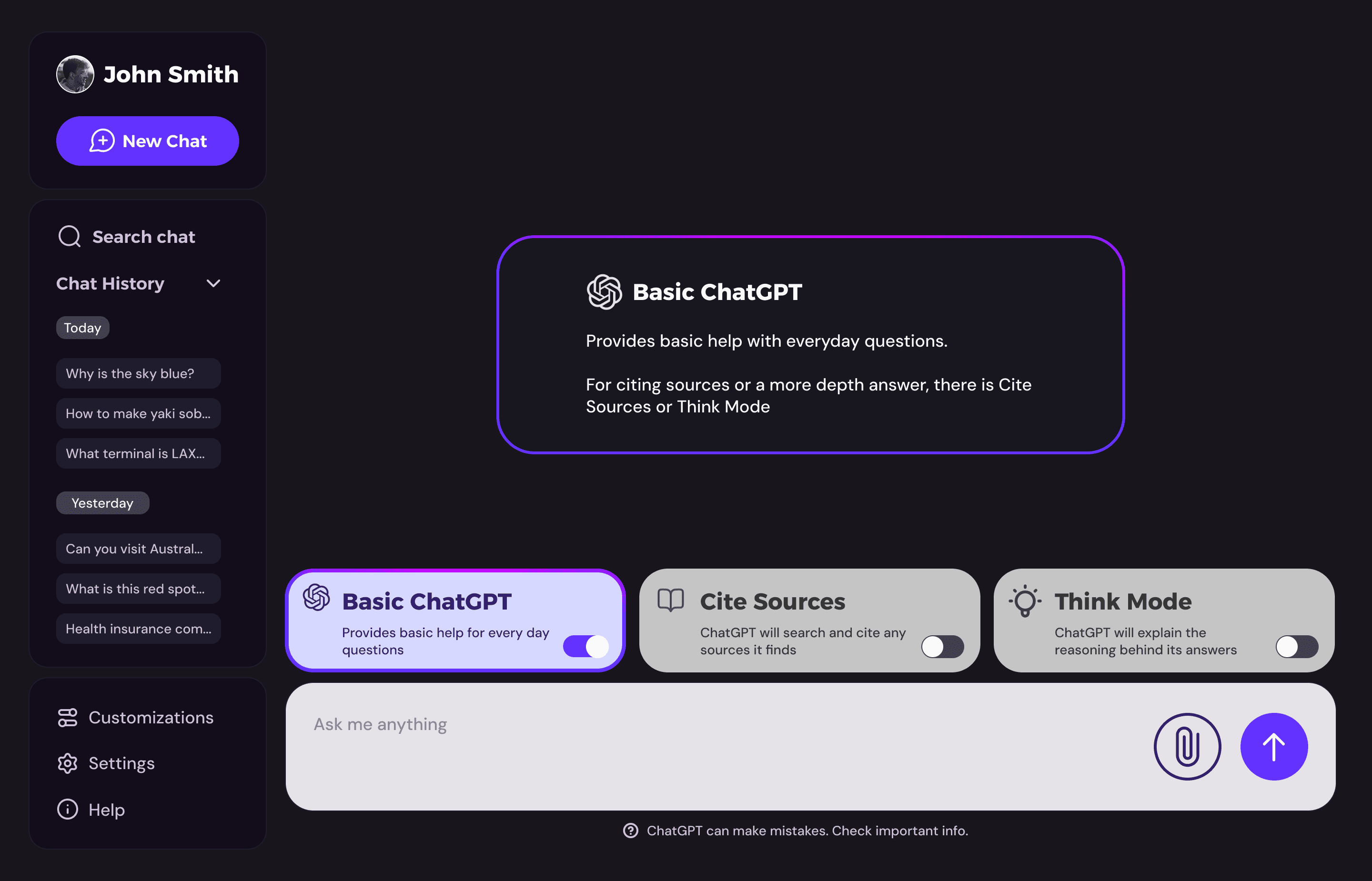
Check out my other works
Check out my other works

Archive of our own
Problem
A website with cluttered UI hinders users's search-engine experience.
Solution
Redesign the website to allow for better accessibility and simplify search.
A redesign of Archive of Our Own's (AO3) old search engine system
PROJECT DURATION
December 2024 - February 2025
SKILLS
UX Writing
Advanced Figma prototyping
UX Research & User Testing
CATAGORY
Redesign
Evaluating the current search engine, users had these comments:
USER QUOTES
"The site just doesn’t connect the content with the search results."
"Too many overwhelming elements…Almost everything is clickable."
Search Results page for the old Archive of Our Own
50%
Cluttered UI
Complaints of cluttered UI without guiding imagery overwhelmed many users who tried to search.
67%
Failed to find filters
Users were asked to find filters to exclude certain hashtags but failed, with many giving up.
67%
Poor UX writing
Users struggled finding definitions of features on site and or what they did.
Through interviews, users agreed on what they wanted
Simplifying the search experience
Archive's new UI and font for better readability
UI KIT & BRAND DESIGN
Two sans serif fonts were chosen to help differentiate between body and title text, as well as reduce large walls of text through spacing and variety.
Merging two different search pages to simplify the experience
OLD SITE
Originally, Archive had an Advanced Search page for complex requests, that was hidden from view.
REDESIGNED SEARCH PAGE
The new Search Results page will house the Advanced Search feature, so users don't have to find a hidden page.
Old Advanced Search page that was hidden from user's view
Redesign moves the features from the old Advanced Search onto the Search Results page
Reducing visual clutter and adding clearer UX writing
OLD SITE
Visually cluttered, accompanied by unclear directions and writing that left users baffled.
REDESIGNED UI
Reduced user overwhelm by 100% by bringing in more white space and better font readability.
Old site exclusion filter description with a wall of text
No extensive reading required, just quick intuitive clicks to add or exclude unwanted tags
New site filters allow for quick and easy tag searches
OLD SITE
Old system did not have filters and searches on one page.
NEW SYSTEM
New system allows users to filter tags directly from the Advanced Search panel, reducing overwhlem.
Old (left) vs Redesign (left) of filter panels
Final user test results show an 100% improvement in Search experince
USER TASKS
Users were once again assigned the task of filtering for tags, and all were able to complete this exercise in under 20 seconds.
100%
Liked the simplified UI
Overall user ratings increased after testing the redesign prototype. Users preferred the decluttered site.
100%
Task compleition
Users who gave locating and using the website's search filters were now easily able to access them.
100%
Liked the UX Writing
Users were able to click, read, and navigate to features because they used simplier labels.
See the redesign prototype
Explore the prototype here
Check out my other works

© 2026 Wei Yan
MY SOCIALS
© 2026 Wei Yan
MY SOCIALS
© 2026 Wei Yan
MY SOCIALS
© 2026 Wei Yan
MY SOCIALS